Monitoring a new company lets you download and find out important information about a company you are about to enter a business relationship with such as a new customer or supplier. You may want to monitor a competitor to see how good (or bad) they did in their last financial year. Or you may even want to monitor your own company, to see how others view you and to protect yourself against unknown changes taken place at Companies House.
To monitor a new company follow these steps:
- From the start page click Monitor a new company or from the sidebar
 Monitor New Company. The Add Monitored Company Wizard will appear.
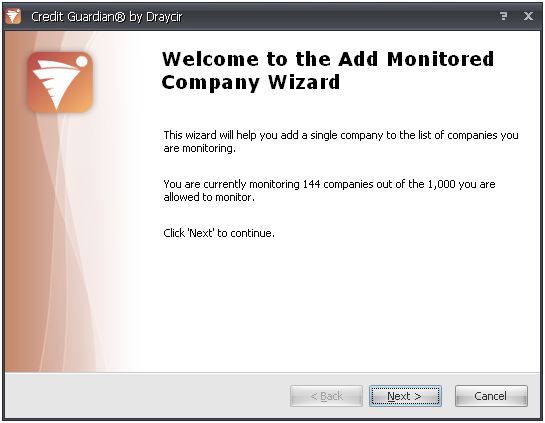
- The wizard will tell you how many companies you are currently monitoring. Click Next to continue.
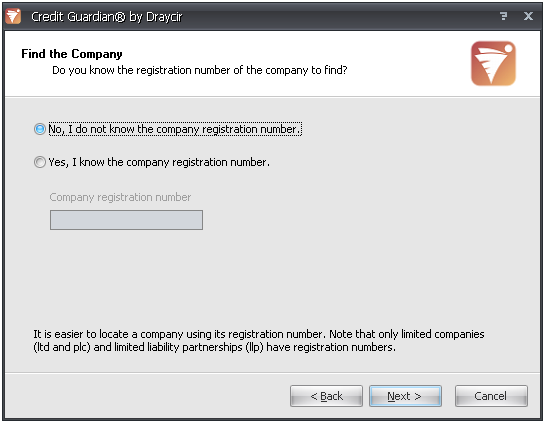
- Every limited company (LTD, PLC, LLP etc) is assigned a unique company registration number by Companies House and using this number is the easiest way for Credit Guardian to find the company. Lots of companies place their company registration number on their website or letterheads. If you have this number select 'Yes, I know the company registration number' and type the number in the edit box labelled 'Company registration number'. Click Next to continue and go to step 9.
- If you do not have the registration number leave the option 'No, I do not know the company registration number' selected and click Next to continue.
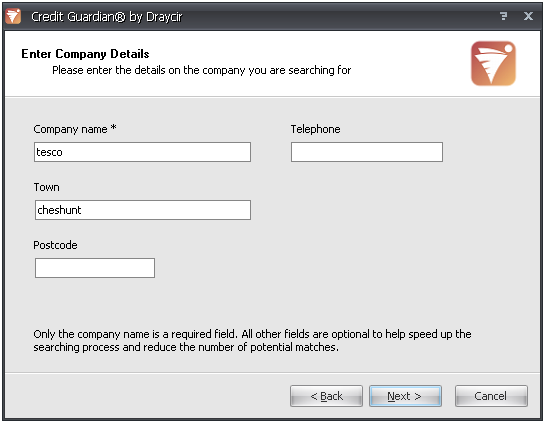
- Enter the name of the company you are looking for. You can refine your search by entering more details such as the name of town the company is located, the postcode of their registered address and even their telephone number. However, this extra information is optional and only the company name is required. Click Next to continue.
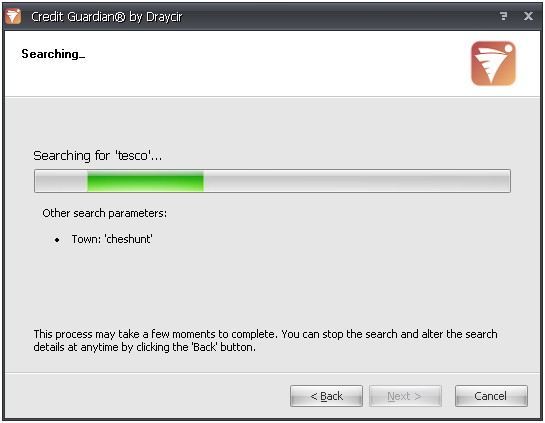
- Credit Guardian will begin to search for the company by communicating to the Credit Guardian server. Please ensure that you are online and your firewall is not blocking the Credit Guardian software. It should only take a short time for the search to complete.
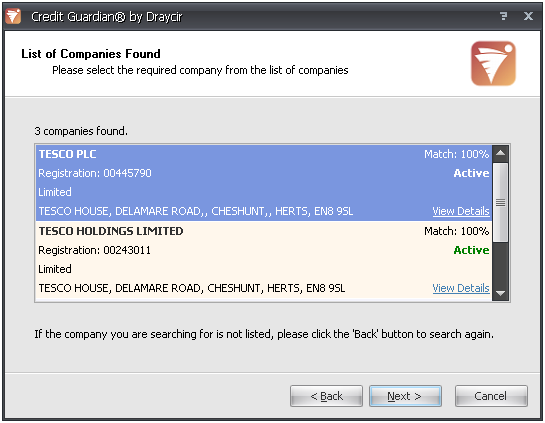
- If more than one company is found, the next page that appears will contain a list of search results. Each entry contains details on the company such as its name, registration code, registered address, its matched percentage and whether it is active or dissolved. If a company is marked as dissolved it means the company is no longer trading. Click on View Details on each result to see more information on the company. If the company you are looking for isn't listed then click the Back button and edit your search criteria.
- Once you have found the company you want to monitor, click on it and the entire entry should be high-lighted. Click Next to continue.
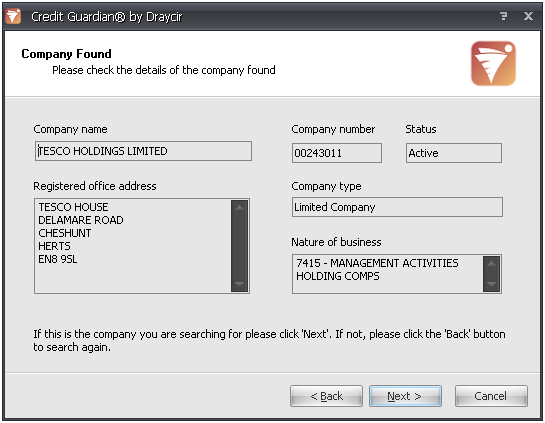
- The next screen shows you the information on the company you have just selected, or is displayed if just one company is found during the search. Check the information shown and if you are happy that this is the company you want to monitor, click Next.
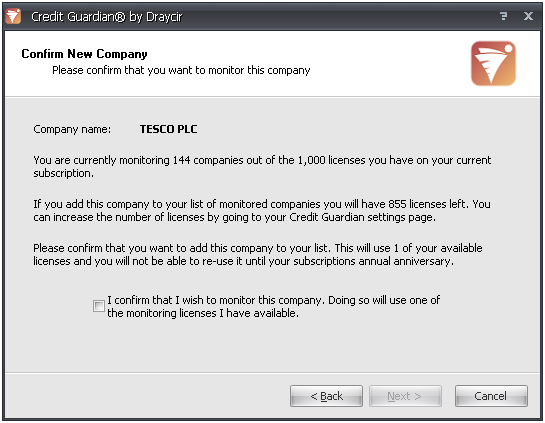
- You now need to confirm that you want to monitor this company. Monitoring a company will use one of your subscription licences. You will not be able to reuse the licence until your subscription expires and you renew it. Tick the box confirming that you want to monitor the company. The Next button will now be enabled. Click Next to begin monitoring the company.
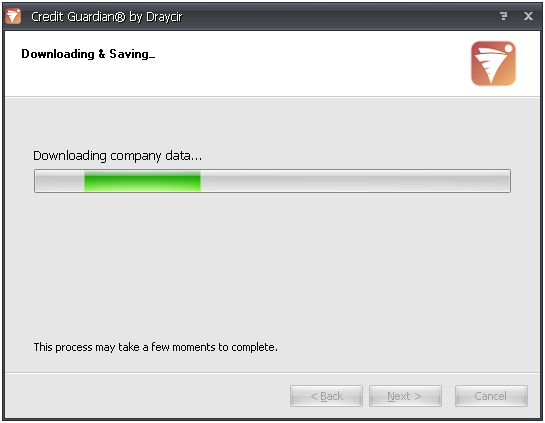
- Information on the company will be downloaded from the Draycir Credit Guardian server and saved to your local Credit Guardian database. When the download has completed it will automatically move on to the next screen.
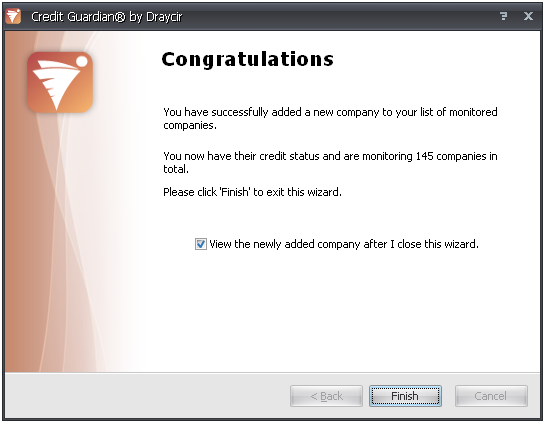
- The company has been downloaded successfully and can now be viewed. By default 'View the newly added company after I close this wizard' is ticked. Click the Finish button to close the wizard and view the company. If you do not wish to view the company when you exit the wizard, un-tick this option. Your selection will be remembered for next time you run the wizard.
Hints and Tips
Make sure you use the correct company name and not initials i.e. 'Marks and Spencer' not 'M & S'.
Q: Why would I want to monitor a dissolved company?
A: You may be entering a relationship with a company who has one or more directors of a previously dissolved company and want to know how successful (or not) the previous company was. You may want to find find out how long the company was trading, details on its financial results, did it have any CCJs, how long they were directors of that company etc.


