You can view details of all the companies you are monitoring by opening the Monitored Companies list. This displays columns of information on the monitored companies and allows you to sort and filter the list to make it easier to find the information you require.
To open the Monitored Companies window, from the start page click View all monitored companies or from the sidebar  Monitored Companies List.
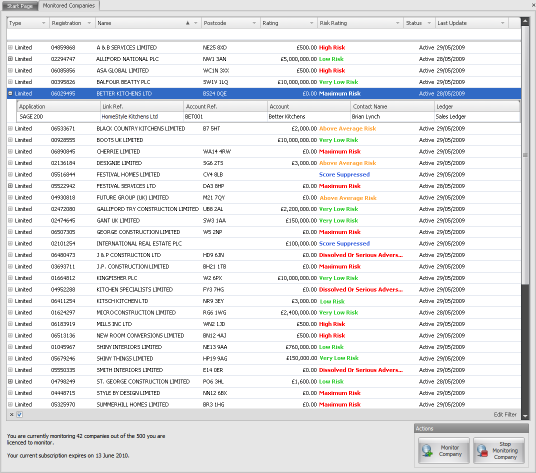
You can sort the list by clicking on the column headers. Click the header to sort by ascending order (the small arrow will point upwards) and click again to sort by descending order (the small arrow will point downwards).

You can apply filters to the list by clicking in the blank area just below the name of the column and begin typing. In the example above we have filtered by Name where we want to display all companies beginning with 'CBA C'.
|
Copyright (c) 2007 - 2010 Draycir Limited. All rights reserved.
|
|
What do you think about this topic? Send feedback!
|


