Credit Guardian works by showing you credit risk information about a single UK company, including details on the following:
Each section contains a summary tab, which provides you with a top-level overview of the company, along with their credit assessment, giving an indication of the company’s creditworthiness.
Credit Guardian will provide you with a credit rating, which is the recommended maximum amount that they should spend with you in any 30 day period. The provided credit limit is the maximum the company should owe at any one time.
Based on available published information, each company is given a rating by Experian and given a risk score from 0 to 100. A rating of 0 is for companies that have already failed, whereas a score of 1 is reserved for companies in a seriously distressed trading state. The assessment summary provides useful pointers about payment performance.
Failure odds are also given, detailing the likelihood of the company to fail within the next 12 months.
|
Name |
Description |
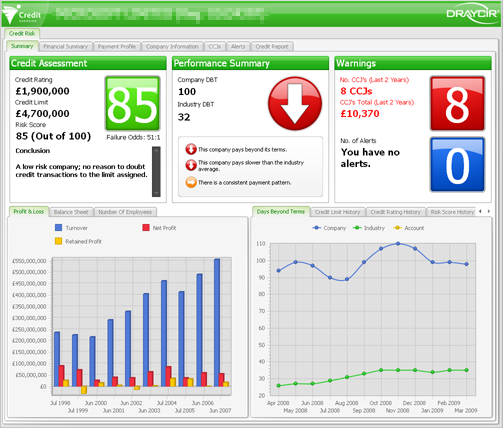 The Summary tab give a top level view of the company. This screen is designed to give a quick at-a-glance view of a company's status. This screen is divided into 5 different areas:
The following sections describe each area in detail. | |
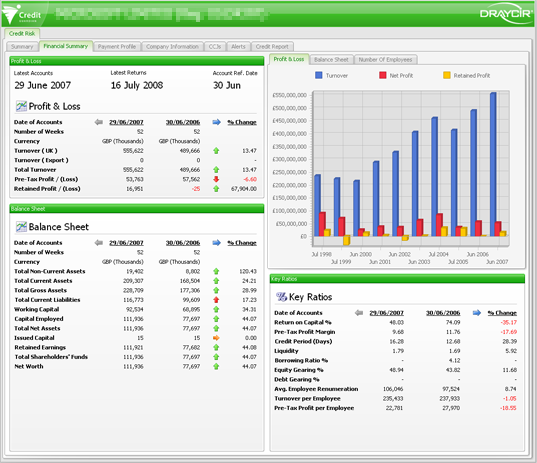 This screen displays the financial information that has been filed by the company at Companies House. The information is split between four sections; Profit and Loss, Balance Sheet, Key Ratios and Charts. The Profit and Loss, Balance Sheet and Key Ratios sections display two sets of accounting periods; the current year and the previous year, along with a % Change value which indicates of the status has improved (green arrow), worsened (red arrow) or stayed the same (yellow arrow). If the company has only filed one set of accounts then this % Change value will not be available You can... more | |
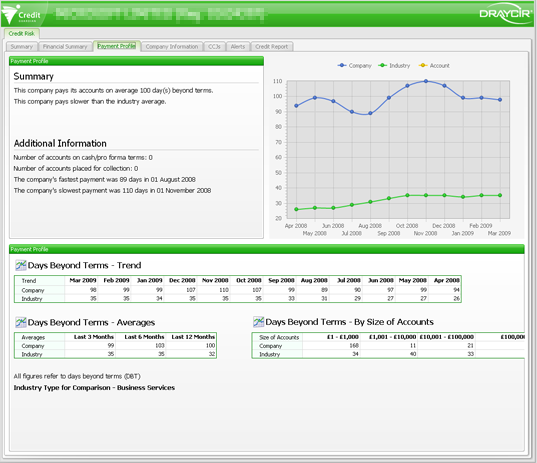 Todo | |
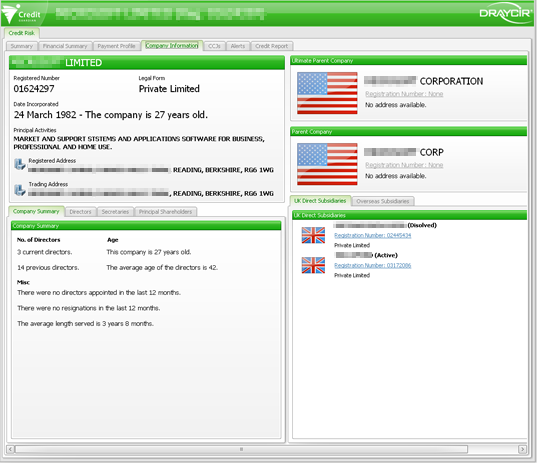 The Company Information tab gives the user a breakdown of the people and other companies that make up that business; current and past directors, company secretaries, number of subsidiaries, parent company, etc. | |
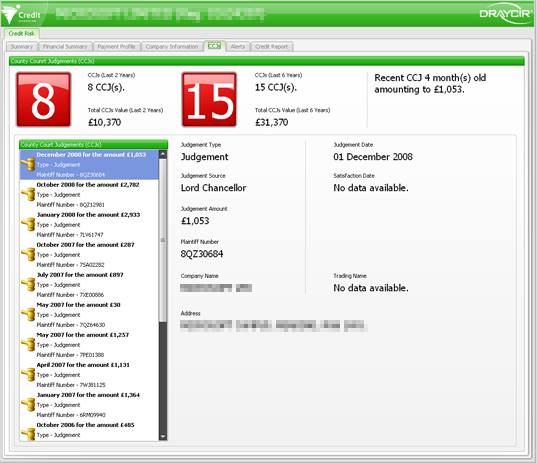 | |
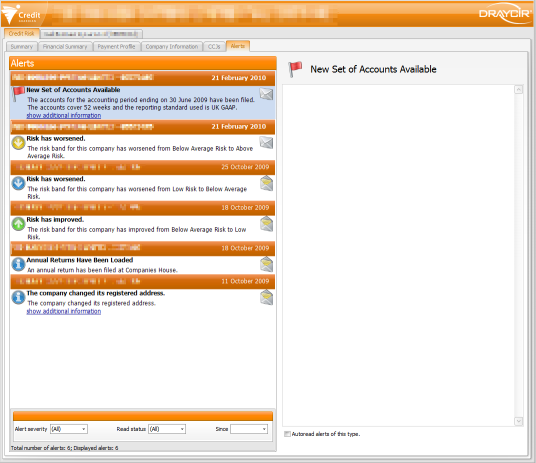 The Alerts tab displays the alerts that Credit Guardian has collected for this company. Alerts will be collected from the day you start monitoring the company. Each time you run Credit Guardian it will check if there any alerts available. If alerts are available they will be downloaded and added to the list as unread alerts. Alerts are processed weekly so make sure you run Credit Guardian at least once a week to obtain new alerts. The email address that was registered with your Credit Guardian account will also be sent a weekly email listing any alerts that are available... more |
|
Copyright (c) 2007 - 2010 Draycir Limited. All rights reserved.
|
|
What do you think about this topic? Send feedback!
|


 Group
Group